AI Paragraph Generator: How to Get a Usable First Draft (2026)
Published October 26, 2026 · 9 min read
AI Paragraph Generator: How to Get a Usable First Draft (2026)
An AI paragraph generator can turn a rough idea into a complete paragraph in seconds. Whether you are staring at a blank page for a blog post, an essay, or a product description, these tools remove the hardest part of writing: getting started. But there is a gap between "it wrote something" and "it wrote something I can use," and that gap comes down to how you prompt the tool and how you edit what comes back.
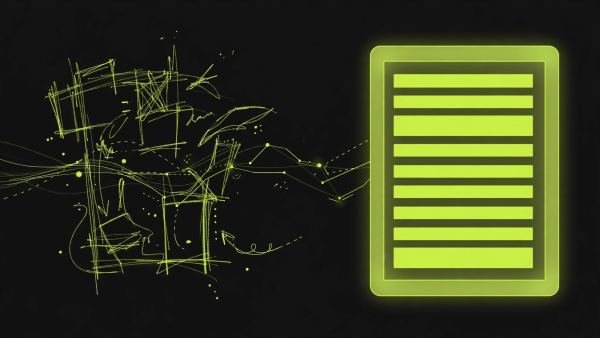
This guide covers both sides. You will learn how an AI paragraph generator works, how to write prompts that produce usable first drafts, the mistakes that lead to robotic-sounding output, and a simple editing workflow that turns machine text into something that sounds like you.
What Is an AI Paragraph Generator?
An AI paragraph generator is a writing tool that produces a complete paragraph from a short description of what you want. You type a topic — say, "the benefits of morning exercise for busy professionals" — and the tool returns several sentences built around that idea.
These tools are trained on large amounts of text, so they understand grammar, sentence structure, and common ways ideas connect. What they do not understand is your specific intent. They do not know your audience, your voice, or the point you are trying to make unless you tell them. That is why two people using the same tool on the same topic can get wildly different results: the difference is almost always the prompt.
Most paragraph generators are free for basic use. You enter a prompt, click a button, and get a paragraph you can copy, edit, or regenerate. Some let you set the tone (formal, casual, persuasive) or the length; others keep it simple with just a text box.
How an AI Paragraph Generator Actually Works
Understanding what the tool is doing helps you use it better. An AI paragraph generator does not "think" about your topic. It predicts what words are likely to come next based on patterns in the text it was trained on. When you write "the benefits of morning exercise," it assembles sentences that typically follow that phrase in articles, guides, and essays.
This has two practical consequences. First, the output is usually grammatically correct but generic — it sounds like the average of everything written on the topic. Second, it can confidently produce statements that sound plausible but are wrong. The tool has no fact-checking step. Anything it generates needs your eyes before it goes anywhere important.
Knowing this changes how you should treat the output: as a draft made of clay, not a finished sculpture.
How to Prompt an AI Paragraph Generator for a Usable First Draft
The prompt is everything. A one-word topic gets you a one-idea paragraph of clichés. A two-sentence brief gets you something you can work with. Here is what to include.
Give It Real Context
Tell the tool the specific angle, not just the topic. "Morning exercise" is a topic. "Why busy professionals should exercise in the morning instead of the evening, focusing on energy levels during the workday" is an angle. The second prompt gives the tool something to organize sentences around.
Specify Length, Tone, and Audience
State who the paragraph is for and how it should sound. "Write for college students in a casual, encouraging tone" produces very different output than "Write for a corporate wellness newsletter in a professional tone." Length matters too — ask for "about 100 words" rather than leaving it open.
Feed It Your Own Material
The best trick most people skip: paste your own rough sentences into the prompt and ask the tool to expand them. If you write three clumsy sentences about your idea, the generator will produce a paragraph that follows your logic instead of inventing its own. Your thinking stays in charge; the tool just smooths the delivery.
A 5-Step Workflow: From Blank Page to First Draft
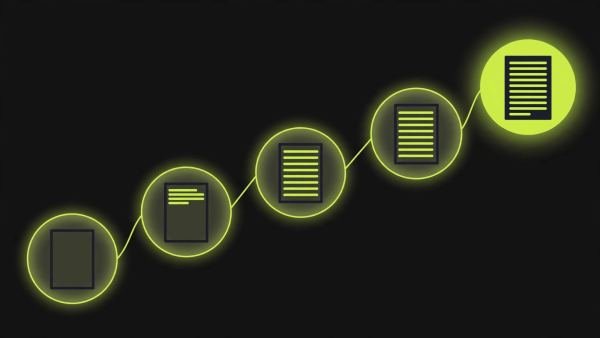
Here is a repeatable process that works for essays, blog posts, and professional writing alike.
Step 1: Write the point in one sentence. Before touching the tool, write down the single point the paragraph needs to make. If you cannot state it in one sentence, you are not ready to generate — clarify your thinking first.
Step 2: Build a two-sentence prompt. Combine your point with audience and tone. For example: "Explain why small businesses should respond to online reviews, in a practical tone for a business owner audience. Emphasize the effect on customer trust."
Step 3: Generate and read critically. Run the tool and read the output the way an editor would. Mark sentences that are vague, repetitive, or off-topic. Most first outputs contain at least one sentence you can keep.
Step 4: Steal the structure, rewrite the sentences. Keep the sentences that work, delete the filler, and rewrite the rest in your own voice. This is where the draft becomes yours — the tool gave you scaffolding, and you are rebuilding it with real material.
Step 5: Read it aloud. If a sentence sounds like something no human would say, rewrite it. Reading aloud catches the stiff, robotic phrasing that your eyes skip over on screen.
6 Mistakes That Make AI Paragraphs Sound Robotic
- Prompting with a single word. "Marketing" as a prompt produces a paragraph about marketing in the most average way possible. Add an angle.
- Accepting the first output. The first generation is a starting point. Regenerating once or twice — or tweaking the prompt — usually improves quality noticeably.
- Keeping every sentence. AI paragraphs often pad with restatements of the same idea. Cut anything that does not add new information.
- Ignoring the transitions. Generated paragraphs sometimes jump between ideas without connecting them. Add a sentence that bridges the gap.
- Leaving in the hedging. Phrases like "it is important to note that" and "in today's fast-paced world" are filler. Delete them.
- Skipping fact-checking. If the paragraph contains a statistic, a date, or a specific claim, verify it. The tool generates confident-sounding statements that may be wrong.
Editing the Output: Making It Sound Like You
The edit is where most of the value is created. A quick pass that transforms generic output into something usable:
- Cut 20 percent. Delete the weakest sentences first. Generated paragraphs are usually too long, and the filler is easy to spot.
- Add one specific detail. A concrete example, a number you have verified, or a personal observation does more for authenticity than any rewriting trick.
- Vary the sentence lengths. AI output often falls into a rhythm of medium-length sentences. Break one into two short ones, or merge two into a longer one.
- Replace the generic openers. If the paragraph starts with "In today's world" or "When it comes to," rewrite the opening with your actual point.
If you are polishing a generated paragraph and want to smooth individual sentences, a free paraphrasing tool can help you reword stiff lines while you keep control of the meaning.
Where AI Paragraph Generators Help Most
These tools shine in specific situations. Breaking writer's block is the biggest one: a rough paragraph to react against is far better than a blank page. They are also useful for expanding outlines — turn your bullet points into draft sentences, then edit. For non-native English writers, they provide grammatically clean scaffolding to build on. And for routine business writing — emails, summaries, descriptions — they handle the formulaic parts quickly.
They are weakest where originality matters most: opinion pieces, personal essays, creative writing, and anything that needs your lived experience. In those cases, use the tool for structure ideas only, and write the sentences yourself.
Frequently Asked Questions
What is an AI paragraph generator?
An AI paragraph generator is a tool that produces a complete paragraph from a short prompt. You describe the topic and any requirements, and it drafts sentences around your idea, giving you a starting point to edit.
Is it cheating to use an AI paragraph generator for school?
It depends on your school's policy. Most institutions allow AI as a brainstorming or drafting aid but require the final work to be your own. Always check the rules, and disclose AI use when your instructor asks for it.
Why does my AI paragraph sound robotic?
Robotic output usually comes from a vague prompt. Short, context-free prompts leave the tool guessing, so it falls back on generic phrasing. Adding detail about topic, audience, and tone fixes most of it.
How long should my prompt be?
Two or three sentences is usually enough. Include the topic, the point you want the paragraph to make, the audience, and the tone. That is far more effective than a one-word topic prompt.
Can an AI paragraph generator replace a writer?
No. It produces a rough first draft, not a finished piece. You still need to check facts, add your own voice, and shape the structure. Think of it as a tireless assistant, not an author.
Is a free AI paragraph generator good enough?
For short paragraphs and first drafts, a free tool is usually fine. Paid options tend to offer longer outputs, tone controls, and better coherence for longer pieces, but most everyday uses do not need them.
